
Available at withamber.com
upcoming
Coming Soon
- Amber Assist Conversation History
- Stream Deck Profiles
- Workspace Templates
Do More With Less Effort
Platforms: iOS (build 28) · macOS (build 103)
Added
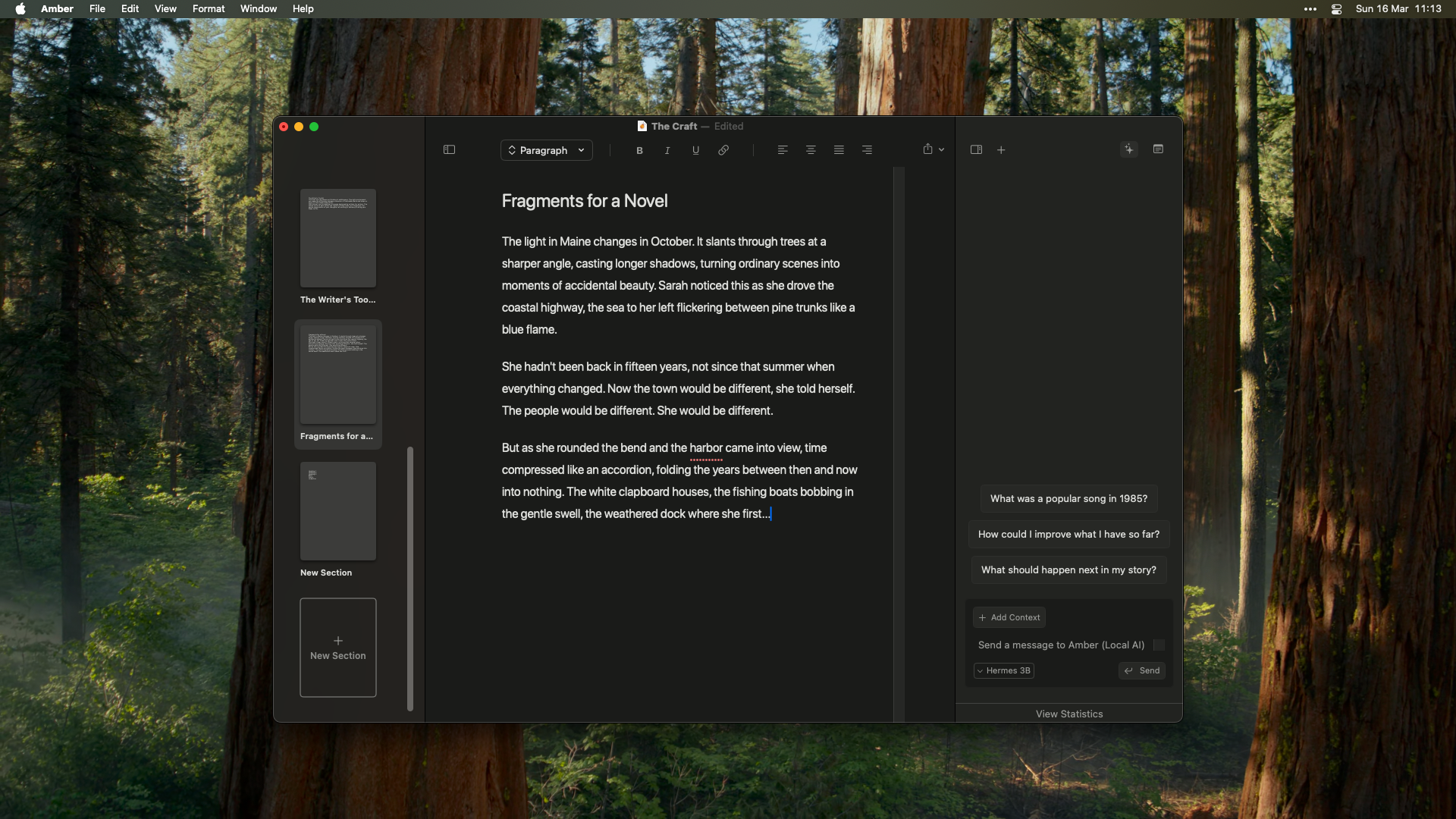
- Turn responses into notes or sections. Love what Amber wrote? Save it as a section in your manuscript or a reference note with one tap.
- Copy any response. Grab what you need without leaving your flow.
- Delete notes you don’t need. Clean up as you go.
- Make it yours. Choose an accent color from six presets or go custom.
- Everything in one place. Redesigned settings with Editor, Appearance, Integrations, Shortcuts, and About - all easy to find.
- See every shortcut. Searchable keyboard shortcuts reference right inside settings.
Improved
- Jump straight to your last project. The launcher remembers where you left off.
- Navigate without the mouse. Move between workspaces entirely from the keyboard.
- Back button works on mobile. Tap back and go where you expect.
- Faster on long manuscripts. Typing feels snappier, especially in larger documents.
- Scrollbar stays at the edge. No more floating in the middle of your writing space.
- Consistent look everywhere. Notes, chat, sources, and sections share the same clean spacing.
- Smoother first experience on Mac. Cleaner onboarding with a refreshed chat interface.
- Settings fit smaller screens. Compact layout without feeling cramped.
- Font, theme, and color in one view. Editor and appearance settings side by side with live preview.
- Pixel-perfect panels. Divider lines and widths snap to exact pixels.
Fixed
- Responses arrive complete. No more cut-off mid-sentence in non-streaming mode.
- Drafts stay safe on Mac. Switching windows no longer risks losing unsaved changes.
- iPad text selection works. Select and replace without unexpected behaviour.
- Fewer crashes. Fixed crashes when navigating away from settings or chat.
- Workspace dropdown behaves. Fixed a default-value issue that could cause selection glitches.
Write Anywhere
Platforms: macOS (build 94) · iOS/iPadOS (build 23)
Added
- Your writing space, everywhere. Open Amber on any device. Your workspace is already there, synced and ready.
- iPad gets its own layout. A native interface designed for the bigger screen. More room to write, easier to navigate.
- Rotate however you like. Portrait for focused writing, landscape for reviewing. Amber adapts.
- Navigate naturally. Swipe back, tap forward. Mobile navigation that feels right.
Improved
- Consistent feel across devices. Same menus, same interactions, whether you’re on Mac, iPad, or iPhone.
- Menus appear where you tap. Chat history and model selection open right where you expect them.
Fixed
- Cursor stays where you put it. Fixed an issue where the cursor would leap to the end while typing on iOS.
Get Started
- Download TestFlight on your iPhone or iPad
- Request your TestFlight invite
- Sign in with the same account you use on Mac
- Start writing
Write Your Way
Platforms: macOS (build 93)
Added
- Keyboard shortcuts everywhere. Every button, every action, accessible from your keyboard. Jump between sections, manage documents, format text, all without lifting your hands.
- VoiceOver support. Full screen reader compatibility. Every button announces what it does.
- WCAG 2.1 compliance. 75% of buttons now meet accessibility standards. We’re not done, but we’re getting there.
Improved
- External changes sync instantly. Edit your markdown files in VS Code, Obsidian, or any editor. Amber picks up the changes immediately.
- Better reliability across platforms. Fewer sync hiccups. Your work stays in sync between Mac, iPad, and iPhone.
Fixed
- Line editing works properly. Fixed the confusion when modifying paragraphs or applying formats. What you type is what you get.
- iCloud containers available. Fixed an issue where iCloud containers weren’t available in certain macOS configurations.
- Cleaner tab bar. Fixed padding and divider rendering.
- Consistent markdown. Better consistency across all platforms.
Open Files, Open Ecosystem
Platforms: macOS (build 91)
Added
- Open file format. Everything is stored as
.mdand.json. Open your files in VS Code, Obsidian, iA Writer, or any app you love. - Git-ready from day one. Version control your novel. Collaborate on GitHub. Branch your story.
- iCloud sync. Edit on your Mac, see changes on your iPad. No manual syncing, no conflicts.
- Live markdown rendering. Write
**bold**and see it bold. Type# Chapter Oneand see a heading. No mode switching. - Smart context indexing. Every section, note, and source gets indexed. Amber reads only what’s relevant, not your entire 100,000-word manuscript.
- Visual diffs before you commit. Suggestions show exactly what will change. Green for additions, red for deletions.
- Accept or reject piece by piece. Don’t like one change? Reject it. Love another? Accept it.
- Context selector. Scope conversations to entire workspace, current section, just your notes, or selected text.
⌘Lto chat about any selection. - Conversation history. Pick up where you left off. Chat history persists across sessions.
- Switch models anytime. Move between cloud models mid-conversation.
- Voice recording and transcription. Hit record, speak your scene, see it transcribed. Perfect punctuation, proper formatting.
- The
amber.mdfile. Create a file that tells Amber how to behave. Define your story’s tone, character voices, writing rules. - Sources. Add past works, research documents, worldbuilding notes. Amber draws from them when helping you write.
- Notes. Create notes instantly. Full markdown formatting. Quick access in chat mode.
Improved
- Editor rewritten from scratch. Markdown-native storage with rich text display. Better performance, better reliability.
- Faster responses. Smarter context selection means less waiting.
- Smoother iCloud sync. Optimized for frequent changes. Your edits sync faster.
- Multi-paragraph formatting preserved. Style carries across copy-paste, import, export.
- Private by design. All indexing happens locally on your device. Your writing never leaves your machine unless you ask.
Temporarily Unavailable
- Text highlighting. Color highlighting doesn’t play nice with markdown. Working on a solution.
- Fountain screenplay support. Removed during the editor rewrite. Coming back in a future release.
Fonts and Dark Mode
Added
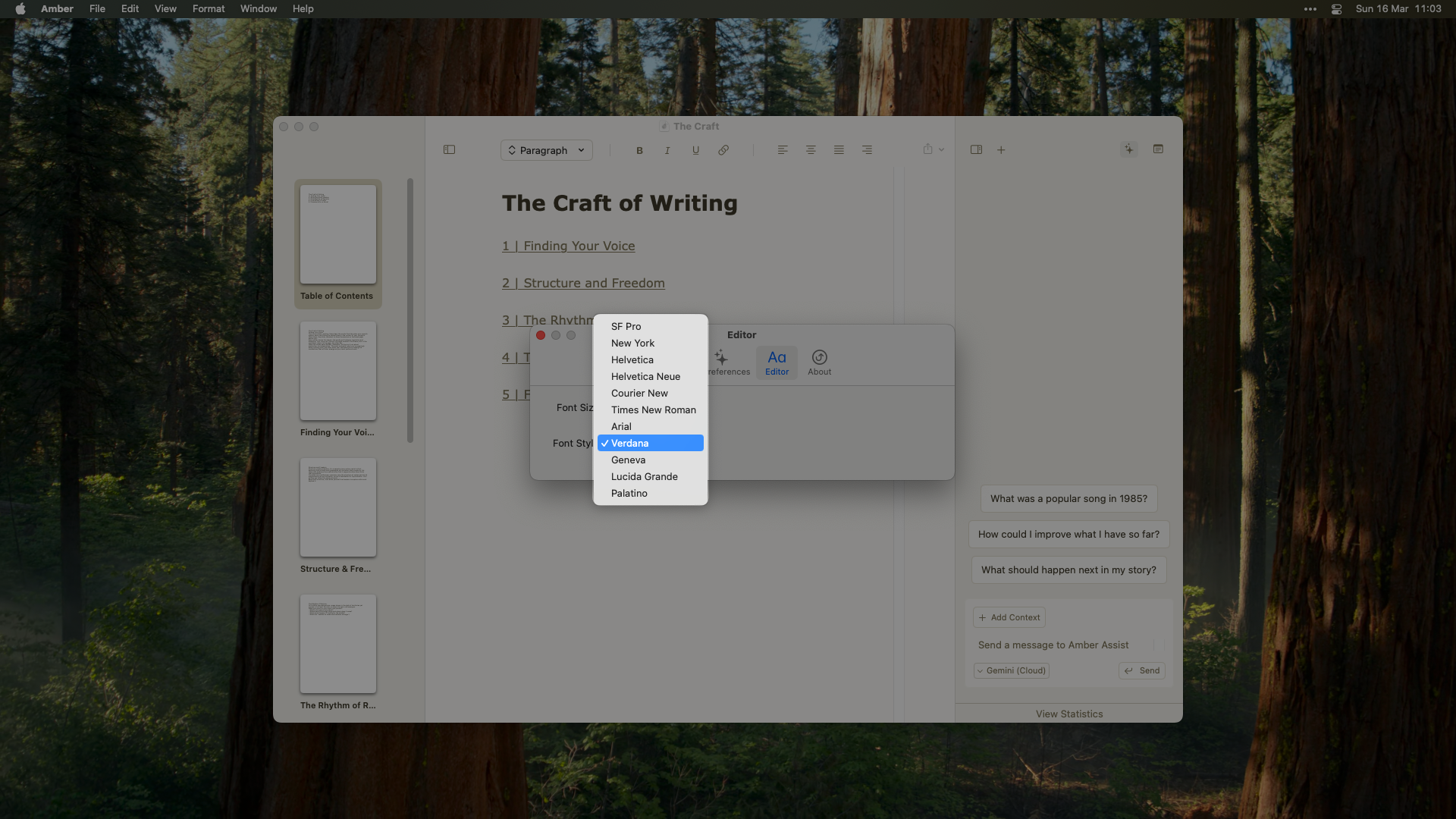
- 11 font options. SF Pro, New York, Helvetica, Helvetica Neue, Courier New, Times New Roman, Arial, Verdana, Geneva, Lucida Grande, and Palatino.
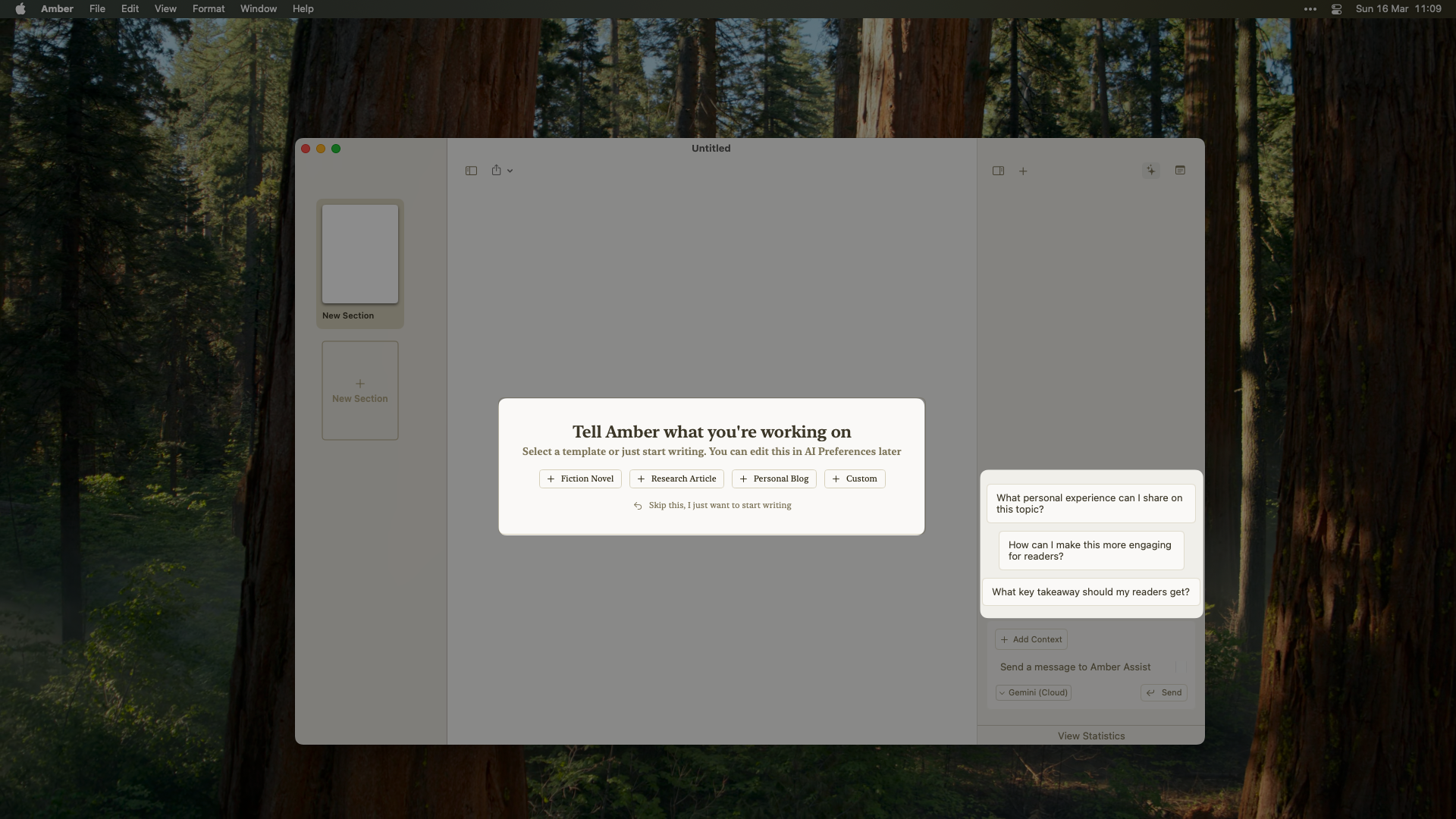
- Template-aware suggestions. Amber Copilot suggestions now change based on template type.
Changed
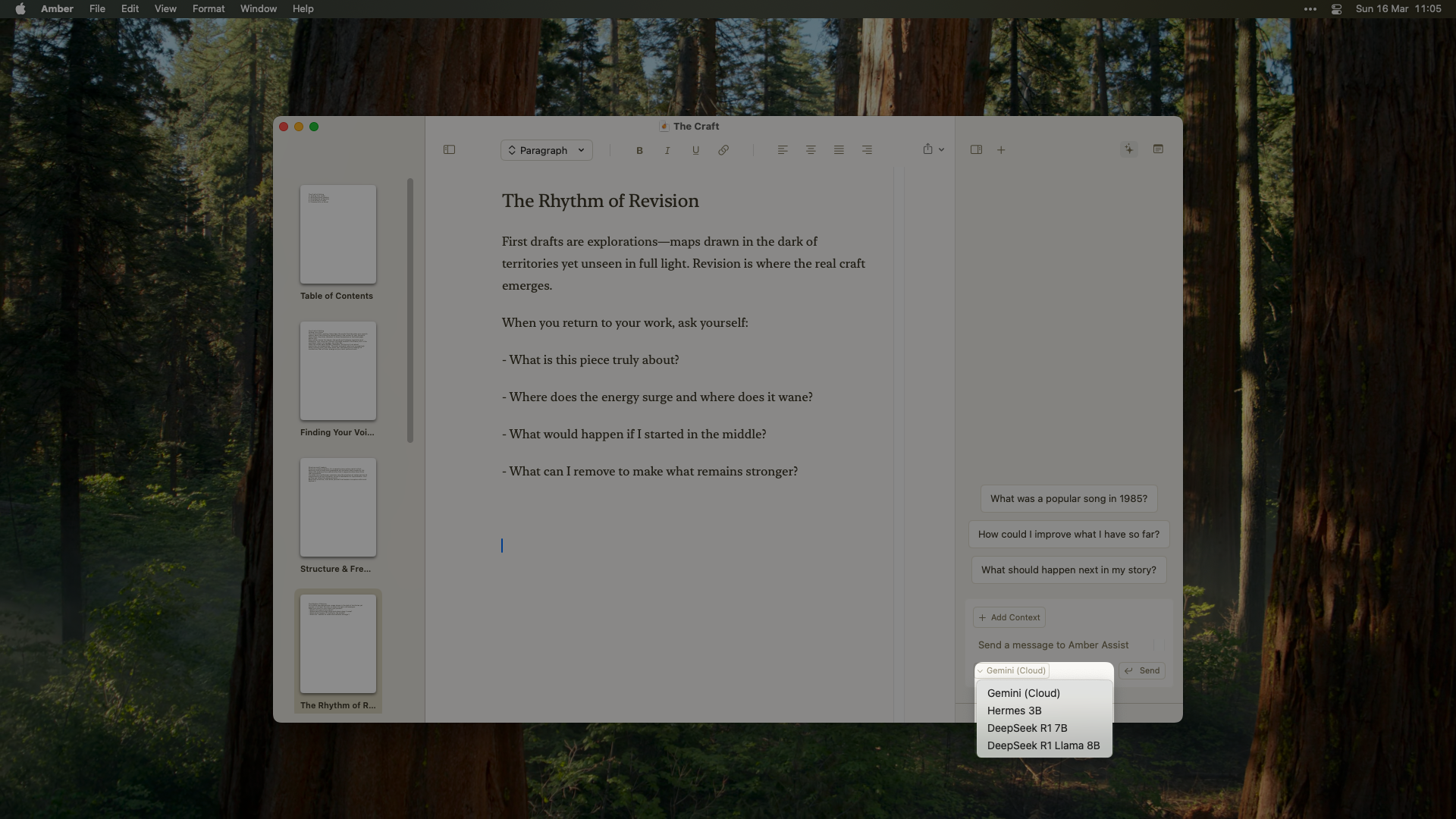
- Redesigned model selection. Cloud toggle moved into a dropdown menu.
- Experimental dark mode improvements.
Fixed
- Alignment shortcuts work. Fixed keyboard shortcuts not working properly.
- Various UI and performance improvements.
Markdown and File Menu
Added
- Font customization. 4 font options for the editor.
- Font scaling. Resize with
⌘ +/-or in settings. - Markdown formatting. Type
#,##, or###followed by a space for headings. Automatic formatting for bold, italic, and underline. New lines reset to paragraph format. - File menu enhancements. Revert, version history, and Recent Documents list.
Fixed
- Better Undo/Redo. More reliable undo and redo throughout.
- Copy/paste from Amber. Fixed formatting issues, especially when copying from Amber itself.
- Pasted text keeps formatting. Text copied from Amber no longer pastes as plain text.
- Undo after paste. No longer returns previous content.
⌘ Lworks without selection. Open Amber Copilot even if no text is selected.- Clean File menu. Removed extra menu item. (Thanks Jamie!)
- Dark mode editor padding. Fixed color issue.
- Single Settings window. Only one can be open at a time. (Thanks Jack!)
Onboarding and Editor Polish
Added
- Custom onboarding. Guided experience for new users.
- Focused writing mode. Added padding to the sides of the editor. Auto-scrolls to your last section when opening existing workspaces.
Changed
- Updated Amber Copilot actions. Create notes and sections from chat.
- Link icon in formatting bar. Replaced the globe icon.
Fixed
⌘ Lworks without selection. Fixed Amber Copilot not opening when no text is selected.
Internal Linking and Fountain
Added
- Internal linking. Link between sections and notes within your manuscript.
- Document setup flow. Set custom context for your project.
- Fountain support. Open
.fountainscreenplay files. (Thanks Ryan!) Note: removed in the v0.10.0 editor rewrite.
Quick Navigation and Safety
Added
- Quick section navigation. Jump to any section with
⌘ P. - Delete confirmations. Confirmation dialogs for notes and sections.
- Undo deletions. Undo section and note deletions with
⌘ Z. - Pop-up text formatting. Formatting menu when selecting text.
⌘ Lstill works for Amber Copilot. - Shortcuts in command palette. Keyboard shortcuts list visible in
⌘ K.
Changed
- New section deletion shortcut. Changed to
⌘ + ⇧ + ⌫so⌘ ⌫works for line deletion.
Improved
- Better document import and paste.
- Bigger tap targets. Increased button and field hitboxes across the app.
- macOS 14 support. Lowered minimum system requirement. (Thanks Jamie!)
Fixed
- Various bug fixes and UI improvements.
Links and Formatting
Added
- External hyperlinks. Link support in documents. Internal links coming soon.
- Multi-paragraph formatting. Header style changes and text alignment.
- Force save before Amber Copilot. Ensures latest document state.
Improved
- Better document import and paste.
- Bigger tap targets. Increased button and field hitboxes.
- macOS 14 support. Lowered minimum requirement. (Thanks Jamie!)
Fixed
- Various bug fixes and UI improvements.
Stability
Added
- Auto-save before Amber Copilot. Your work is saved before every interaction.
- Better error handling. Clearer error messages throughout.
Fixed
- Dark mode text. Fixed black text display issue.
Contributors
Thanks to our community for the great feedback! Share yours on our feedback board, join our Reddit community, or report bugs.Export and Command Palette
Added
- Markdown export. Easy sharing and compatibility.
- Command palette. Keyboard-first navigation with
⌘ K. - Better error messages.
- Improved response handling.
Limited Closed Beta
The first release of Amber. A distraction-free writing space with a built-in copilot.Added
- Cloud integration. Gemini support.
- Notes. Store story facts and research data.
- Sections. Organize chapters and acts.
- Formatting toolbar. Full set of intuitive options.
- Command palette.
⌘ + Kto navigate. - Distraction-free editor. Just you and your words.
- Version history with auto-save.
- Privacy-first local storage. Your files, on your device.
Contributors
A special thank you to our closed beta testers for their invaluable feedback!Want to see what’s coming next? Get in touch and help us prioritize future features!